NUMA Part 2: NUMA-Aware Zone Placement — How Edera Decides
Part 1 of this series ended with a question the operator actually has to answer: "where should this zone live?" Leave it unanswered and the answer defaults to "wherever the scheduler last put it" - the unpredictable case from the previous post, where the same workload runs at 80% of its potential one day and 100% the next. That swing is only the visible part; underneath it is a hardware bill - remote-memory latency and cross-node coherence on accesses the workload assumed were local - that a misplaced zone keeps paying, request after request, for as long as it runs.
Edera answers that question automatically. A zone goes onto specific Non-Uniform Memory Access (NUMA) nodes the moment it boots, with a vNUMA topology that matches its physical placement, and its vCPUs are pinned to the pCPUs of those nodes. The operator does not configure any of this in the common case. For the cases where the defaults are wrong, there are explicit knobs.
Why NUMA-aware zones must be PVH
Before any of the rest of this matters, one requirement governs all of it: a zone can only be NUMA-aware if it runs as PVH, not PV. This is not a tuning detail or a soft recommendation. It is the line between a guest that can see its topology and one that is blind to it, and no amount of configuration moves that line.
The reason is mechanical. A guest learns its NUMA layout from ACPI tables and from the CPU identifiers it reads at boot - the same channels real hardware uses. A PV guest has neither: there are no ACPI tables in the PV environment (it does not boot through firmware), and its CPU identifiers are synthetic - a flat enumeration with no topology in them. The information has nowhere to enter the guest. Part 3 gets into why that is structural - a consequence of PV having no firmware - rather than merely unimplemented.
PV zones still run perfectly well on a multi-NUMA host - they simply see a single flat node. That makes PV a safe choice for a zone small enough to fit inside one host NUMA node, where "one flat node" and the truth are the same thing. Ask for a PV zone larger than a single node, though, and the host will still place it - spreading it across as many physical nodes as it takes - while the guest goes on believing it has one uniform pool of memory. It cannot make a single deliberate decision about locality, because it has no idea there is any locality to reason about. That is precisely the unpredictable performance case from part 1.
So the requirement comes down to a simple test. A zone that fits in one NUMA node can be PV and lose nothing. A zone bigger than that, or one you want to make deliberate use of the hardware it lands on, has to be PVH. Everything from here on assumes PVH.
What changes when a zone is NUMA-aware
A NUMA-aware zone is not magic. It is a virtual machine that has been given an accurate description of the topology it is running on, in the same formats that real hardware uses to describe itself to a real operating system. So what does that description actually consist of? On x86, three pieces - and a guest needs all three together. Hand it the memory tables but a flat CPU map and it will place its threads as if every core were interchangeable, undoing the locality the other two pieces just described.
System Resource Affinity Table (SRAT)
The SRAT is an ACPI table that says "these CPUs and these memory ranges belong to NUMA node N". It is how the OS in the guest learns it has a NUMA topology at all. On the kind of host this series will keep coming back to - a dual-socket AMD EPYC box in 4-nodes-per-socket mode, eight NUMA nodes total, sixteen CPUs per node, sixteen GiB per node - an abbreviated SRAT looks something like:
Proximity Domain 0  ->  CPUs   0-15    Memory: 16 GiB
Proximity Domain 1  ->  CPUs  16-31    Memory: 16 GiB
Proximity Domain 2  ->  CPUs  32-47    Memory: 16 GiB
...
Proximity Domain 7  ->  CPUs 112-127   Memory: 16 GiB
("Proximity Domain" in ACPI parlance is the same thing as a NUMA node; the table predates the term "NUMA node" being standard vocabulary.)
System Locality Information Table (SLIT)
The SLIT is an ACPI distance matrix: same nodes on both axes, with the relative cost of reaching column M from row N at each intersection. The OS uses it to decide how strongly to prefer local memory and how to rank fallback nodes when local memory runs out. The SLIT for the same 8-node host looks like this:
        Node:   0    1    2    3    4    5    6    7
        0      10   12   12   12   32   32   32   32
        1      12   10   12   12   32   32   32   32
        2      12   12   10   12   32   32   32   32
        3      12   12   12   10   32   32   32   32
        4      32   32   32   32   10   12   12   12
        5      32   32   32   32   12   10   12   12
        6      32   32   32   32   12   12   10   12
        7      32   32   32   32   12   12   12   10
Three distance values reflect the physical layout: 10 for local (self), 12 for a different node in the same socket, and 32 for cross-socket. The numbers are relative - only the ratios matter - and the specific values vary by platform and firmware.
x2APIC IDs in CPUID
The x2APIC IDs the guest reads from CPUID encode the topology of each CPU at the package / core / thread level. A NUMA-unaware hypervisor hands the guest x2APIC IDs that look like a single socket, regardless of how the underlying hardware is partitioned. Some workloads care. Parallel runtimes that pin worker threads to cores - the thread pools behind OpenMP, or a tuned JVM - build their placement from these package and core IDs, not from the kernel's sysfs view. Show them a flat single socket on a machine that is really eight nodes and they spread tightly-coupled threads across cores a cross-socket hop apart, quietly throwing away the locality the SRAT and SLIT worked to establish.
Putting it together: How Edera Synthesizes SRAT, SLIT, and CPUID at Boot
For an Edera zone, all three of these get synthesised at boot to match the placement the algorithm picked. The guest sees a real NUMA topology, with distances that reflect the actual host SLIT and CPU IDs that encode the right package / core / thread layout. The guest's NUMA-aware code - whether that is the Linux kernel's scheduler, a numactl-pinned application, or a runtime that keys off CPUID for thread placement - gets accurate information to make decisions from.
How many NUMA nodes does a zone get?
Two inputs decide:
- The vCPU count. If a zone asks for more vCPUs than fit on a single host NUMA node, the algorithm spreads them across enough nodes to satisfy the request. A 32-vCPU zone on a host with 16 pCPUs per node lands on two nodes; a 96-vCPU zone on the same host lands on six.
- Whether you asked for a specific number of NUMA nodes. By default you don't, and the algorithm decides. Request an explicit count and it forces that number, hard-failing the launch if the request is infeasible (too many vCPUs to fit, too few nodes available on the host, and so on).
Memory size does not drive the split today. The algorithm picks node count from vCPU count and then asks the host for as much memory as the zone needs, hoping it can satisfy the request node-local on each chosen node. If the requested memory does not fit node-local, the host does a best-effort allocation across other nodes; the zone gets the memory it asked for, but some of it lives on neighbouring nodes the zone's vNUMA topology does not know about. The zone's NUMA-aware code trusts the map it was given: it keeps a thread's hot data on what it believes is the local node, and issues what it thinks are local loads - and for the spilled pages, each of those takes the cross-node path the topology never warned it about.
This is a deliberate trade-off. The common case is "your workload fits in the nodes the algorithm chose", and in that case the guest's topology and the host's allocation agree exactly. The uncommon case is "your workload's memory footprint demands more than fits in the chosen nodes", and there the algorithm errs on the side of letting the launch succeed rather than rejecting it.
If you would rather have the launch fail than run with inaccurate topology, this is what asking for an explicit node count is for: request enough nodes to fit your memory budget and the algorithm is forced to pick the right number up front.
How Edera Chooses a Zone's First NUMA Node
The first node a zone lands on has the most leverage on its overall performance. Two rules decide it:
- PCI passthrough locality wins, when there is any. If the zone has any passthrough devices attached - a Network Interface Controller (NIC), a GPU, an accelerator - the algorithm picks the host NUMA node that owns those devices. A passthrough device reaches guest memory by DMA across the PCIe link it is wired to; if the guest's memory sits on a different node from the device, every descriptor fetch and every data burst crosses the interconnect on its way in or out. Pinning the zone to the device's node keeps that traffic local, which is why it is the highest-impact placement decision available.
- Otherwise, pick the node with the most free memory. This is a simple heuristic but it does most of the work. New zones go to wherever the host has the most headroom, which spreads load evenly over time without anyone telling it to.
The second rule is what keeps the host balanced across long-running deployments. If a node is heavily used, new zones go elsewhere. If a node frees up, it becomes the next preferred destination. Nobody is running a load-balancer over the placements; the math just falls out of "pick the node with the most headroom".
Compact or Scatter: Placing the Rest
For zones that span more than one node, the algorithm needs to pick which other nodes to use after the first. The default is compact: pick the node closest to the first one, where "closest" is measured by the host's SLIT distance table. The intuition is that NUMA-aware workloads usually benefit most from minimising the distance between the cores they get to use.
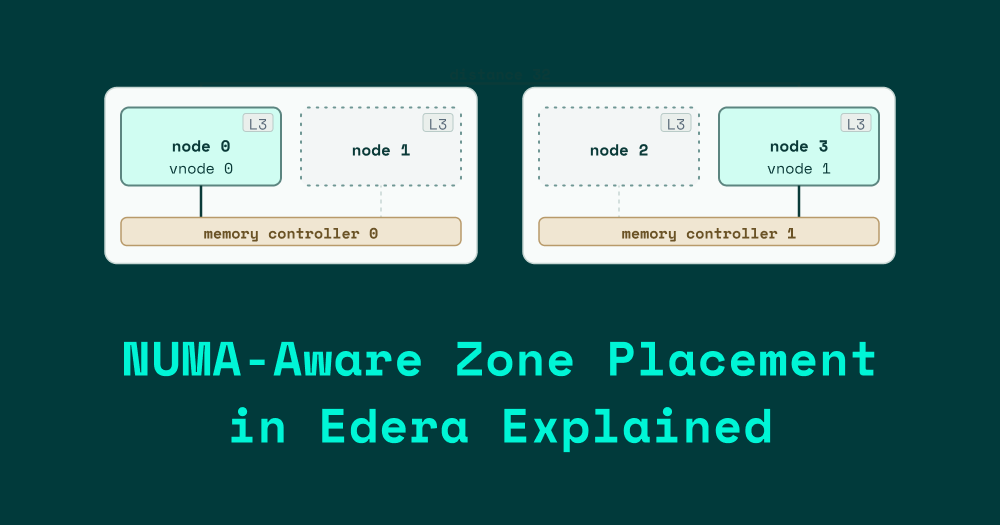
There is also a scatter alternative, which picks the furthest available node instead. That sounds wrong at first - why would you want to make the cross-node cost worse on purpose? - but it makes sense for a class of NUMA-aware workloads that want as much aggregate cache and memory-controller bandwidth as they can get. AMD's Core Complex Die (CCD) layout inside a single socket gives each die its own slice of L3 cache and its own slice of the memory controller; a workload that knows how to use that parallelism does better placed across CCDs than crammed into adjacent ones.
What the figure adds to the prose is the bandwidth half: compact packs both vnodes onto one memory controller, so they share its bandwidth; scatter gives each vnode its own controller and its own L3. The distance shown on each hop is the SLIT distance between the two vnodes.
vCPU Pinning: Float Within Node, Never Across
Once a zone's nodes are chosen, its vCPUs are pinned to the host pCPU set that belongs to their assigned NUMA node. Each vCPU floats freely across any pCPU in that set; it cannot float to a pCPU on any other node. The pinning is not "vCPU N to pCPU M" - it is "vCPU N to the group of pCPUs that make up the node vCPU N lives on".
This gives the Xen scheduler room to balance work inside a node (handling per-vCPU load variation, hyperthread sibling preferences, all the usual things) without ever letting a vCPU end up on the "wrong" memory side. The combination of "vCPU is on its node" plus "vNUMA topology says the memory is on the corresponding node" is what makes the guest's NUMA-aware code work correctly. Take either half away and the guest is back to guessing.
The pinning is set at zone launch and does not change for the life of the zone. That is a deliberate choice. A live NUMA migration is not free: the moment the scheduler moves a vCPU to another node, the working set it built up is suddenly remote, and every hot cache line has to be re-fetched across the interconnect until the caches on the new node warm back up - a latency spike for reasons the guest cannot see, exactly the noisy-neighbour pattern part 1 described. Pinning the placement at launch trades that away: the zone's NUMA situation stays immutable for as long as it is alive.
Why Edera Optimizes for Consistency Over Peak Performance
Step back from the individual rules - how many nodes a zone gets, which physical node seeds it, how the set expands from there, and where its vCPUs are pinned - and they add up to a single design with one priority. The defining trade-off of that design is consistency over peak. That sounds like a hedge, so it is worth being concrete.
The average workload Edera runs is a Kubernetes pod. Most Kubernetes pods are small. The median pod spec has vCPU and memory budgets that fit comfortably within a single host NUMA node on the kind of hardware customers actually deploy on. For that median pod, the right answer is to land it on whichever node has headroom, pin its vCPUs there, and not even tell the pod that NUMA exists. The pod gets node-local memory access on every request, and the operator does not have to think about any of it.
For the workloads outside that average - pods that span multiple nodes, workloads with specific placement requirements, zones running passthrough-attached devices - the same algorithm picks reasonable defaults and gets out of the way. When the defaults are wrong, the escape hatches are there.
The customer-visible benefits sit on top of all of this:
- Performance consistency. The same workload runs at the same speed across restarts because its placement is deterministic, not whatever the scheduler felt like that day.
- Predictable startup and shutdown latency. Zone launches and shutdowns do not pay a "where do I put this?" search cost.
- Higher density. Because the algorithm knows the host topology and packs zones onto it sensibly, the same hardware fits more workloads at the same quality of service.
None of this is a peak-performance story. A workload that has been hand-tuned to a specific machine, with the operator manually pinning every thread, will outperform the automatic algorithm on that specific machine. But it will also have been hand-tuned to a specific machine. The pitch is that you should not have to do that work, and most of the time you should not even notice the algorithm is there.
NUMA Placement Controls: CLI Flags and Kubernetes Annotations
Almost all of this is automatic. Here, in one place, are the controls for the cases where it is not - the knobs that change how a zone behaves on a NUMA host, with their protect CLI flags and the equivalent Kubernetes pod annotations:
.png)
A couple of things the table flattens. On the Kubernetes path the zone's vCPU count comes from the dev.edera/cpu annotation rather than from the pod's CPU limits, and every one of those vCPUs is brought online at boot. The protect CLI instead splits the count into a target (online now) and a maximum (the ceiling it can grow to), and its defaults are conservative - a bare protect zone launch boots a single vCPU. The defaults in the table are the Kubernetes ones, since the common case is a pod.
Keeping memory on its node: static vs dynamic
The last row of that table is worth a detailed explanation, because it is the one knob that affects NUMA performance over time rather than at launch. By default an Edera zone uses dynamic memory: it boots with a smaller footprint and grows or shrinks toward its limit based on what the guest actually uses, handing unused pages back to the host. That is the right default for Kubernetes density: most pods never touch their whole limit, and dynamic mode lets the host pack more of them onto the same hardware.
The trade-off is locality. Placement puts a zone's memory on its chosen nodes at boot. When a dynamic zone later grows, the pages it gets back come from wherever the host has free memory at that moment - not necessarily the node the zone was placed on. For most workloads that is invisible. For one that is sensitive to memory bandwidth or tail latency, it is a slow leak: each balloon cycle hands pages back and pulls new ones from whatever node had room, so the zone's working set drifts off its home node a page at a time. The vNUMA map the guest was handed still calls that memory local, so the guest keeps issuing loads it believes are local while they quietly run at the host's remote distance - the careful node-local placement eroding, over hours, into the remote-access cost it was set up to avoid.
The static policy turns that off. A static zone has its full memory allocated, node-placed, and usable from boot, and it never balloons - what placement decided at launch is what the zone keeps for its whole life. The cost is density and flexibility, since the memory is committed up front whether the workload uses it or not. That is why Edera's general guidance is that static is the wrong default for everyday Kubernetes use; the memory ballooning guide walks through the trade in full.
For NUMA-sensitive, performance- or latency-critical workloads, though, that trade is usually worth making. If you have sized a zone deliberately and you care about consistent memory bandwidth, static is what guarantees the topology you were handed at boot is the topology you keep. Pair it with a vCPU count set to its ceiling - so every vCPU is online from the start - and the zone's CPU and memory footprint are both fixed and fully node-local for its entire life.
What's Next in This Series
Placement is the first layer of the design. It would still be the design even without the rest of the work this series describes - it stands on its own as a way to reduce noise and improve density on multi-tenant hosts. But each subsequent layer multiplies its value. When dom0 itself knows the same topology the zones see, when the paravirtual I/O drivers serve requests on the matching node, when the kernel routes outgoing traffic through the queue that matches the workload's home node - that is when the placement decisions made at zone boot carry all the way through to the bytes hitting hardware. Without those layers, placement gives you most of the win. With them, the win goes end to end.
Part 3 walks through Xen's PV I/O architecture - how grant tables and shared rings actually work, what NUMA support exists in upstream Xen today, and the workarounds people in production reach for when they cannot wait for the underlying problem to be fixed. Part 4 gets to what we did about it, and what the whole stack looks like once those placement decisions reach real I/O.
Read the Full NUMA Series
NUMA Part 1: Cores, memory, and the distance between them
NUMA Part 2: NUMA-Aware Zone Placement — How Edera Decides
-3.avif)